






App Version: 2.16.0000
Improvements and Bug Fixes
- Updated the ZENNER Framework to version v1.7.13.8.
- Improved stability and data security of the Device Manager application.
- Improved handling of Full Meter Readout, including the ability to stop an ongoing readout.
- Optimized export handling by merging water, cold water, and warm water export files into a single export file.
- Improved recovery handling for unfinished readouts from previous sessions.
- Fixed an issue where manual readouts could be overwritten unintentionally.
- Fixed incorrect readout notifications appearing when no readout process was active.
- Improved device management when changing device addresses:
- Fixed incorrect device counter updates.
- Fixed wrong pop-up messages for manual devices.
- Improved handling and placement of the “Unexported Data” dialog.
- Fixed issues with adding manual readouts after partial list readouts.
- Prevented exports from being overwritten by empty device entries.
- Improved navigation behavior by ensuring the Back button returns to the Home screen.
- Fixed an issue where the new version notification was displayed repeatedly throughout the app.
- Improved grouping behavior for manual readouts added to device lists.
This release addresses various issues and introduces new features to enhance the functionality and usability of the application.
Users are recommended to update the app to benefit from the latest features and improvements
App Version: 2.15.0060
Bug Fix
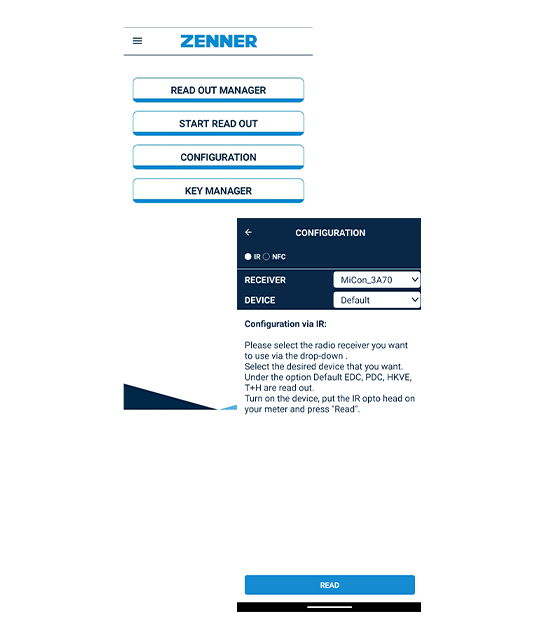
- Updated text in IR Configuration.
- Fixed a crash caused by a disposed MediaPlayer.
- Fixed an issue where crash reports were missing device information.
This release addresses various issues and introduces new features to enhance the functionality and usability of the application.
Users are recommended to update the app to benefit from the latest features and improvements
App Version: 2.15.0057
Bug Fix
- Fixed an issue with MiCon V3 Bluetooth connections on Android where resources were not properly released after a connection error. This improves connection stability and resource management.
This release addresses various issues and introduces new features to enhance the functionality and usability of the application.
Users are recommended to update the app to benefit from the latest features and improvements
App Version: 2.15.0055
Improvements
- Updated the component to SD_LoRa v2.1.5.
- Refined the application UI with improved color adjustments for a more consistent user experience.
- Renamed the MinoConnect setting from “NFC over NDC” to “NFC connector” for improved clarity.
Bug Fixes
- Fixed an issue preventing communication with NDC modules during readout.
- Fixed an issue where the meter medium was missing from exported files.
- Fixed a crash that could occur when starting a readout.
- Fixed the missing MinoConnect firmware update notification.
- Improved cancellation handling during meter and logger readout operations, resulting in more reliable interruption of long-running tasks.
This release addresses various issues and introduces new features to enhance the functionality and usability of the application.
Users are recommended to update the app to benefit from the latest features and improvements
App Version: 2.15.0053
Fixed
- Crash on some devices when pressing devices during read out
- Crash on some devices when adding manual read out
This release addresses various issues and introduces new features to enhance the functionality and usability of the application.
Users are recommended to update the app to benefit from the latest features and improvements
App Version: 2.15.0052
Added
- PDCv1/PDCv2:
- Added Q3 Nominal Flow.
- Added support for all Smart Functions.
- Parameters are only displayed when the medium is Water.
- The PrintedSerialNumber is now always available after a meter readout.
- Full Meter Readout for RWM now includes the PrintedSerialNumber parameter.
Fixed
- PDCv1_WriteSystemTimeAsync now validates the written time against the local standard (winter) time instead of the local time to ensure successful execution.
- If the device time does not contain a valid time value, 00:00:00 is no longer displayed and no time deviation is calculated.
- EDC-NB: Corrected ICCID handling when encoded as ASCII.
- PDCv1: Memory read block size (MaxReadSize) increased to 192 bytes.
- Fixed an issue where the meter reading increased by 10 after writing a value.
- Fixed a crash when adding a manual readout.
- Improved handling of lost MinoConnect connections.
- Fixed a TypeConverterException when consolidating export files containing unreceived devices.
- Fixed several issues related to readout export files.
Changed
- Updated ZF to v1.7.13-preview5.
This release addresses various issues and introduces new features to enhance the functionality and usability of the application.
Users are recommended to update the app to benefit from the latest features and improvements
App Version: 2.15.0049
New Features & Improvements
- Improved logger data export with visual progress indication.
- Enhanced logger data view with optimized column layout.
- Introduced paging for logger data to improve performance and responsiveness when handling large datasets.
- Prevented screen timeout during Full Meter Read Out operations.
- Improved handling of NFC communication to increase reliability during meter readout.
- Enhanced support for EDC and EDC-NB device configurations and parameter handling.
Bug Fixes
- Fixed an issue where the logger data dialog remained open after exporting data.
- Fixed Bluetooth permission handling issues.
- Fixed an issue where notifications could be be displayed although no readout was running.
- Fixed a crash that could occur when navigating back during a wireless M-Bus readout.
- Fixed an Android issue that could lead to application freezes or crashes during background service startup.
- Restored and improved the crash reporting mechanism.
- Corrected the display order of selected EDC parameters.
- Fixed manufacturer ID encoding to ensure consistent processing.
- Improved ICCID handling for EDC-NB devices.
Technical Updates
- Updated the ZENNER Framework to version 1.7.13.0-preview4.
- Updated Bluetooth libraries to improve Android compatibility and stability.
- Optimized crash reporting behavior following application updates.
This release addresses various issues and introduces new features to enhance the functionality and usability of the application.
Users are recommended to update the app to benefit from the latest features and improvements
App Version: 2.15.0041
Improvements
- Matching using module serial number to retrieve encryption keys
- General UI improvements
- Added always-on display for long-running operations
- Updated application logo
Fixes
- Fixed manual readout issues
- Fixed missing unit display for “Meter value” (EDC v2)
- Fixed missing confirmation checkmark after Join Request (IUWS)
- Fixed application crash after saving log data
- Corrected ICCID decoding using Luhn check digit reconstruction
- Improved serial number handling: FFFFFFFF is now displayed as empty
- Hidden irrelevant parameters in EDC v2
- Adjusted NDC CR95 result code to appear only in reports
Functional Changes
- The PDCv2 pulse values now correctly match the configuration.
(unit and pulse multiplier)
App Version: 2.15.0028
Updates
Release Highlights – Version 2.15
We are pleased to introduce the latest updates to the Device Manager App v2.15, delivering enhanced performance, improved usability, and powerful new readout capabilities.
New Features
In-App BLE Pairing
Bluetooth pairing is now fully integrated into the Device Manager App.
Connect your devices faster and more reliably without switching system settings.
Enhanced wM-Bus Readout
Wireless M-Bus readouts have been further optimized for improved reliability and structured data import and export. The updated CSV export format ensures one row per meter, enabling easier data processing and backend integration.
Smart Filtering in Start Read Out
A new filter option allows you to quickly focus on relevant devices, making field work more efficient.
Flexible Export Options
- Choose between single-file or multi-file exports
- Improved Error Flag and Error Code visibility
- Horizontal CSV format (one row per meter)
Performance & Stability Improvements
- Resolved pairing issue with Minoconnect v3
- Multiple crash fixes for improved reliability
- Optimized logging mechanism
- Enhanced NFC read/write reliability
- Improved location and permission handling
Workflow Enhancements
- Devices can now be selected directly in the Plan Route flow
- Readout lists grouped by address
- Non-received devices now included in exports
- Manufacturer information saved during manual readout
Compatibility & Maintenance
- Improved Android 14 compatibility
- Updated internal components and dependencies
- Enhanced overall app responsivenes
Summary
Version 2.15 significantly improves usability, reliability, and data transparency.
With full meter readout support, enhanced exports, and smoother pairing workflows, the Device Manager App is now more powerful and field-ready than ever.
Users are recommended to update the app to benefit from the latest features and improvements.
App Version: 2.14.0013
Updates
- Fixed:
- [EDC V3]
- Mechanical register Type B (WPD DN 40–125, WSD DN 50–125).
- Corrected meter reading display from 9.1 m³ to 0.91 m³.
- [IUW/S]
- Ambient temperature is now displayed only if the reported value is not 0.
- Auto-repair of module configurations in broken wM-Bus scenarios
- [NDC]
- The SendToNfcDevice command occasionally returned a NotClassifiedError, sometimes caused by a timeout.
- The command is now automatically retried up to 3 times.
- [NFC | Android]
- During NFC write operations, the session register is now checked before sending the next 64-byte block, ensuring the receiver can retrieve the previous block.
- [MiCon v2 & v3 | All Devices]
The delay between wake-up and readout has been improved, restoring behavior used up to version 1.5.5. - [MiCon v3]
- For smoke detectors, the delay between wake-up and readout was improved.
- The write function now uses the MinoConnect command for the wake-up sequence.
- [EDC V3]
Notes
- This release addresses various issues and introduces new features to enhance the functionality and usability of the application
- Users are recommended to update the app to benefit from the latest features and improvements